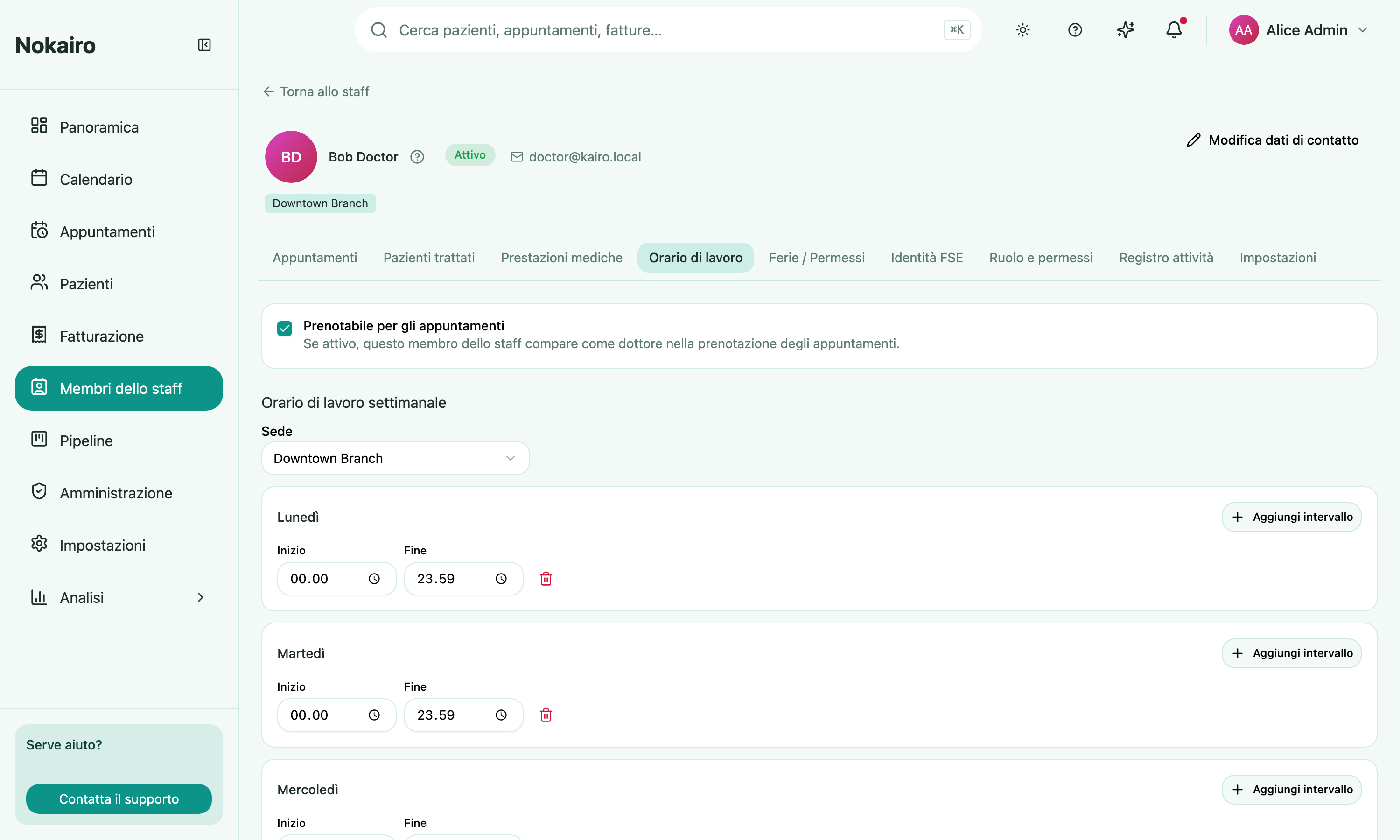
A clinic needs to know when each staff member is actually available: which days and hours they work, when their midday break is, and when they are away on holiday or sick leave. This is captured on a staff member’s profile across two tabs — working hours and bookability in the Working Hours tab, and absences in the Vacation / Time Off tab — both reached from the staff list.
What you can do here
- Set weekly working hours — for each weekday, add one or more working intervals (for example a morning block 09:00–13:00 and an afternoon block 14:00–18:00). The gap between two blocks on the same day is the midday break; a weekday with no block is a non-working day.
- Choose the branch in a multi-branch clinic where the person works at more than one location — each branch keeps its own weekly pattern. In a single-branch clinic there is just one pattern and no branch to choose.
- Record time off — pick a reason (holiday, sick leave, or other), a single date or a continuous range, and mark it all-day or a time range within one day. An optional note can be added.
- Remove time off that no longer applies; it stops affecting availability immediately.
How this shows up when booking
Once a staff member has working hours, the appointment screen offers available time slots for the chosen dentist, sized to the selected procedures, and skips times that are already booked or covered by time off. If a booker picks a time when the staff member is not available, they are warned before the appointment is saved and can either change the time or confirm the booking anyway.
Working hours and time off are only ever visible and changeable within the clinic that owns the staff member. A branch manager manages only the staff of the branches they manage.